How do I create my first study deck?
Open Weila, hit the + button, and either type your cards manually or paste in your notes and let the AI generate them. The first deck takes under a minute.
A running notebook of the questions we hear most, and what we've jotted down in answer.
Have a question? Ask us directly.
We are happy to help, and we respond quickly. Send it over and we'll get back to you.
Open Weila, hit the + button, and either type your cards manually or paste in your notes and let the AI generate them. The first deck takes under a minute.
Start with one deck and one short focus session per day. Consistency matters more than volume, 20 minutes a day beats 3 hours once a week.
An internet connection is needed to sync and use AI features. Reviewing existing decks works offline.
After each card, you rate how well you remembered it. Weila schedules the next review at the optimal time based on that rating, harder cards return sooner, easier ones space out.
A real-time measure of how locked-in your session is, based on tab activity, timing, and consistency. It's there to give you honest feedback, not punish you.
Yes, you can paste from CSV or use the AI generator on your existing notes. Direct import from popular flashcard apps is on the roadmap.
Free includes the core study tools, decks, spaced repetition, focus timers, and a generous monthly AI limit. Weila+ adds unlimited AI generation, advanced analytics, and priority support. You can see the full breakdown on the Weila+ page.
Go to Settings → Billing and hit Cancel. You'll keep Weila+ until the end of your current period. No questions asked.
Weila+ is already priced with students in mind, so there is no separate student rate. If your school takes part in our partner program, you may qualify for free access, ask your teacher or check with us directly.
First check our Status page for any active incidents. If everything looks healthy there, try refreshing the page or clearing your browser cache. If the problem sticks around, get in touch and we'll take a look.
Decks and progress sync automatically when you're signed in. If something looks missing, reach out and we can usually recover it.
You are always in control of your account. Sign in and follow these steps to download a copy of everything you've stored, or permanently delete your account.
Log in to Weila →Use the Log in to Weila button above to open the app, then sign in with the account you want to manage.
In the top right of the app, tap the gear icon to open your settings.

In the settings list, select Privacy & Data. This is where you control your data and privacy.
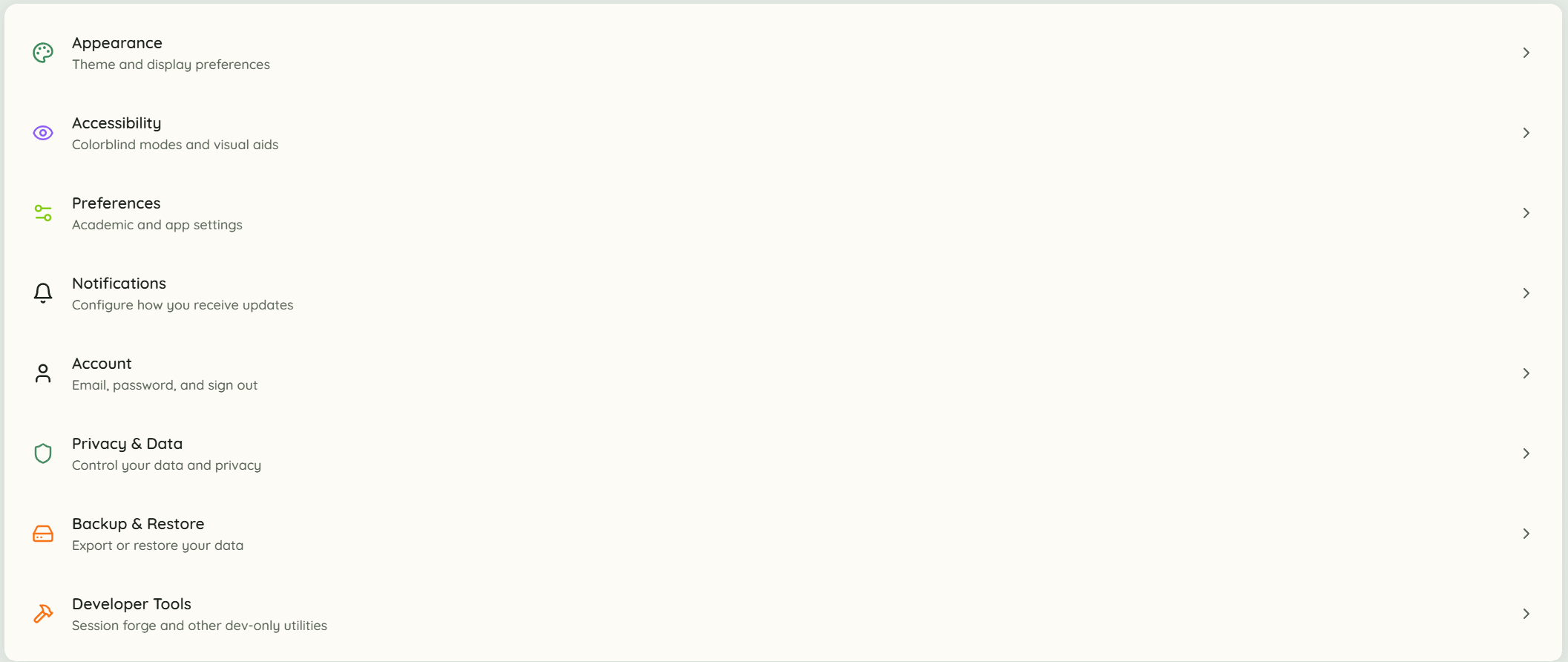
Under Privacy & Data you'll find both options. Choose Export to download all your data, or Delete to permanently delete your account and everything in it.

Deleting your account is permanent and cannot be undone, so export your data first if you'd like to keep it.
You can request deletion of specific data (for example particular photos, messages, or study records) without closing your account. Email legal@joinweila.com from the email address on your account with the subject Data deletion request and describe what you want removed. We respond within 30 days. Some records may be kept where required for legal or financial compliance, as described in our Privacy Policy.
Email a data deletion request →